· pleaseopen.me · English
How Byde Fixed Its TikTok and Instagram Bio Link with pleaseopen.me
Byde, an iOS closet app, was losing installs to TikTok and Instagram's in-app browsers. Here's how one pleaseopen.me link fixed it, and what the setup looks like.
This case study is also available in 한국어, Deutsch, and Español.
Byde is a smart-closet app for men on iOS. You build a digital wardrobe from clothes you already own and get outfit suggestions. Almost nobody finds it through search. They find it through short-form video, which means nearly every install starts with a tap inside TikTok's or Instagram's in-app browser.
That is exactly where App Store links tend to break. Byde was the first app we built pleaseopen.me for, and it still runs on it today.
The problem Byde ran into
When someone taps a link inside TikTok, Instagram, or Facebook, the app opens it in its own built-in browser, not Safari or Chrome. For most websites that's invisible. For App Store and Play Store URLs it often isn't:
- TikTok shows an "Action can't be completed" dead end. The in-app browser won't hand the link to Safari, and it won't load the store page either.
- Instagram and Facebook have blocked direct store links in their in-app browsers at various times, with no warning and nothing changing on your side.
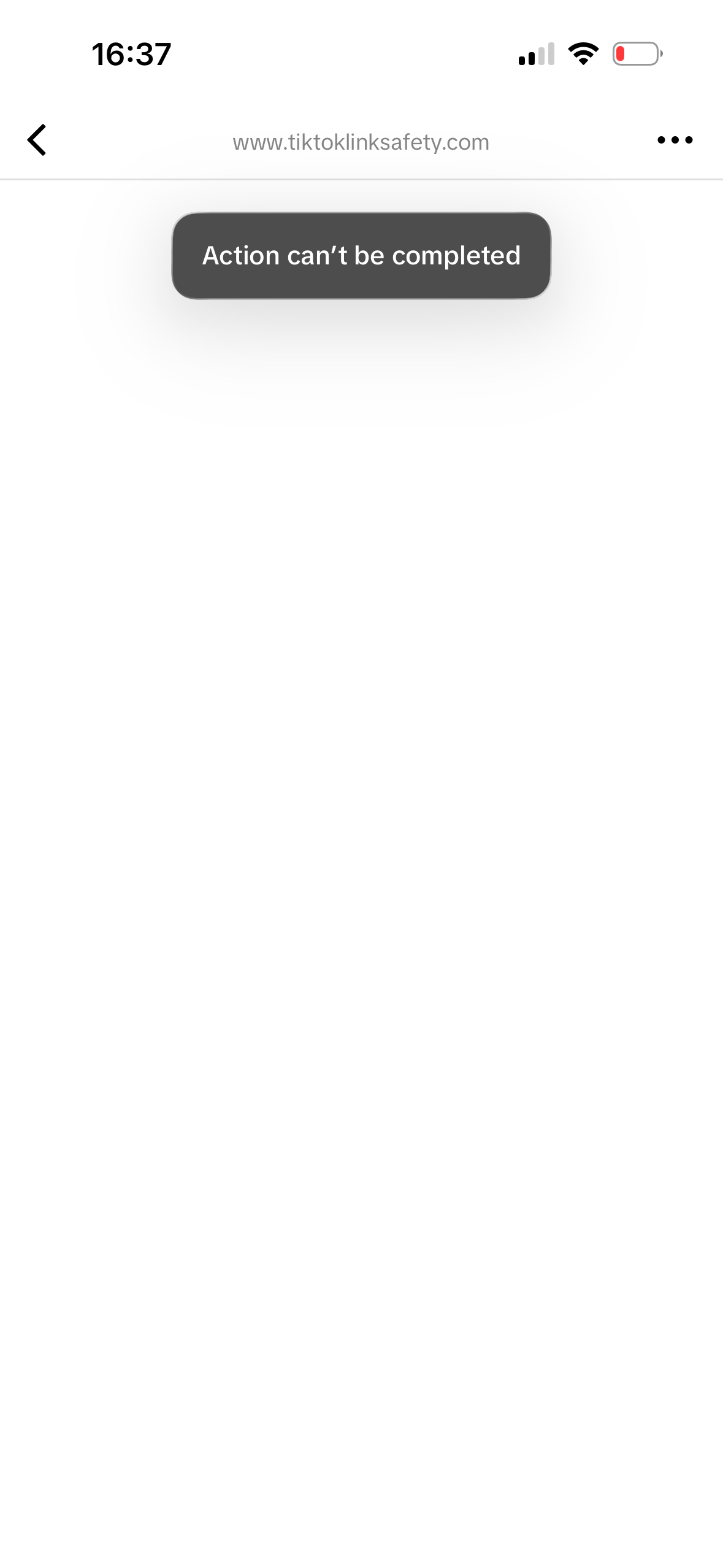
Before: a direct App Store link in a TikTok bio ends in "Action can't be completed."
Nothing in your analytics says "blocked." It just looks like weak conversion. Switching bio-link tools doesn't help either, because the block happens in the in-app browser before the visitor ever reaches the store listing.
What Byde needed
The requirements were simple:
- Instagram and Facebook: escape the in-app browser automatically where possible, with no extra steps for the visitor.
- TikTok: where auto-escape isn't reliable, show a short "open in browser" tutorial, then redirect straight to the store.
- Any device: send iOS visitors to the App Store and Android visitors to Google Play from one link, so there are no separate bios and no manual traffic splitting.
The setup: one link, about a minute
Byde claimed a slug, added its store links, and swapped its old App Store URL for pleaseopen.me/byde. That link now sits in Byde's TikTok and Instagram bios, and behind the "Download on the App Store" button on Byde's own site.
Here is what a visitor sees now:
- Normal browser: straight through to the right store.
- Instagram or Facebook: escaped automatically, then redirected to the store.
- TikTok: a short open-in-browser tutorial, then an automatic redirect once they're out of the in-app view.
After: tap the bio link, follow the short open-in-browser step, land on the App Store via pleaseopen.me/byde.
Beyond the redirect: what else Byde uses
An app team without a marketing site runs into the same few problems, so we built solutions for them into the same account:
- Privacy policy generation and hosting. App Store Connect and Play Console both need a live privacy policy URL. pleaseopen.me asks a few questions about your app, such as what data you collect and which SDKs you use, then generates and hosts a matching policy at
pleaseopen.me/yourapp/privacy. - ads.txt and app-ads.txt hosting. Ad networks like AdMob, AppLovin, and Meta crawl your developer domain for this file, and a missing file can mean lower fill rates. We host it where crawlers look, and you don't need your own domain.
- "Coming soon" pages If you're live on iOS but not yet on Android, or the reverse, visitors on the other platform see a "coming soon" page instead of a dead store listing.
- Multi-button, Linktree-style pages with themes and custom branding. You can also use a custom domain so visitors never see pleaseopen.me.
The redirect, privacy policy hosting, and ads.txt hosting are free. Custom domains and multiple apps under one account are on the paid tier.
Quick checklist if your own bio link underperforms
- Test inside the apps. Open your link from within TikTok and Instagram, not just Safari. The failure only shows up in the in-app browser.
- Check the button, not just the page. If your Linktree, Beacons, or website loads fine but its store button fails when opened from a bio, it's the same block one layer deeper.
- Fix the paperwork at the same time. If you don't have a developer website, you'll need a privacy policy URL and an ads.txt file anyway, so set them up together.
Try it on your own app
Claim a slug, add your App Store and Play Store links, and swap the new URL in wherever your store link lives today. It takes about a minute.